Repko Features
Repko is a tempo timer for lifters who already know what they're doing, and need a tool that doesn't get in the way. Four-phase counts, voice cues you don't have to look at, an exercise library that knows what eccentric means, and a Free tier that stays free. Below: every feature, where it lives, and what's behind the PRO line.
New in 1.1
The biggest update since launch. The headline is boring to describe and obvious the first time you feel it: your music no longer cuts out when you use voice control. I rebuilt the audio engine so speech recognition and playback stop fighting each other. You can train at full volume, say GO, and your track keeps going.
- Rebuilt audio engine. Voice control no longer interrupts, stutters, or ducks your music. Full volume, hands-free, uninterrupted.
- STOP control mid-set. Tap or say
STOPto pause and choose: keep going, restart the set, end just that set, or finish the workout. Stop early and your logged rep count reflects what you actually did. - Expanded voice commands.
GO,STOP, andREPEAT, plus spoken rep countdowns and rest call-outs. Still 100% on-device, nothing leaves your phone. - iCloud backup and automatic restore. Your training history saves to your own iCloud and restores itself on a new device. No account, no server of mine.
- Apple Watch companion. Tempo taps on your wrist, included free.
- iPad layout. Full-screen timer sized for the bigger display.
- Dozens of reliability and polish fixes.
Full history at the changelog.
The 4-phase tempo timer
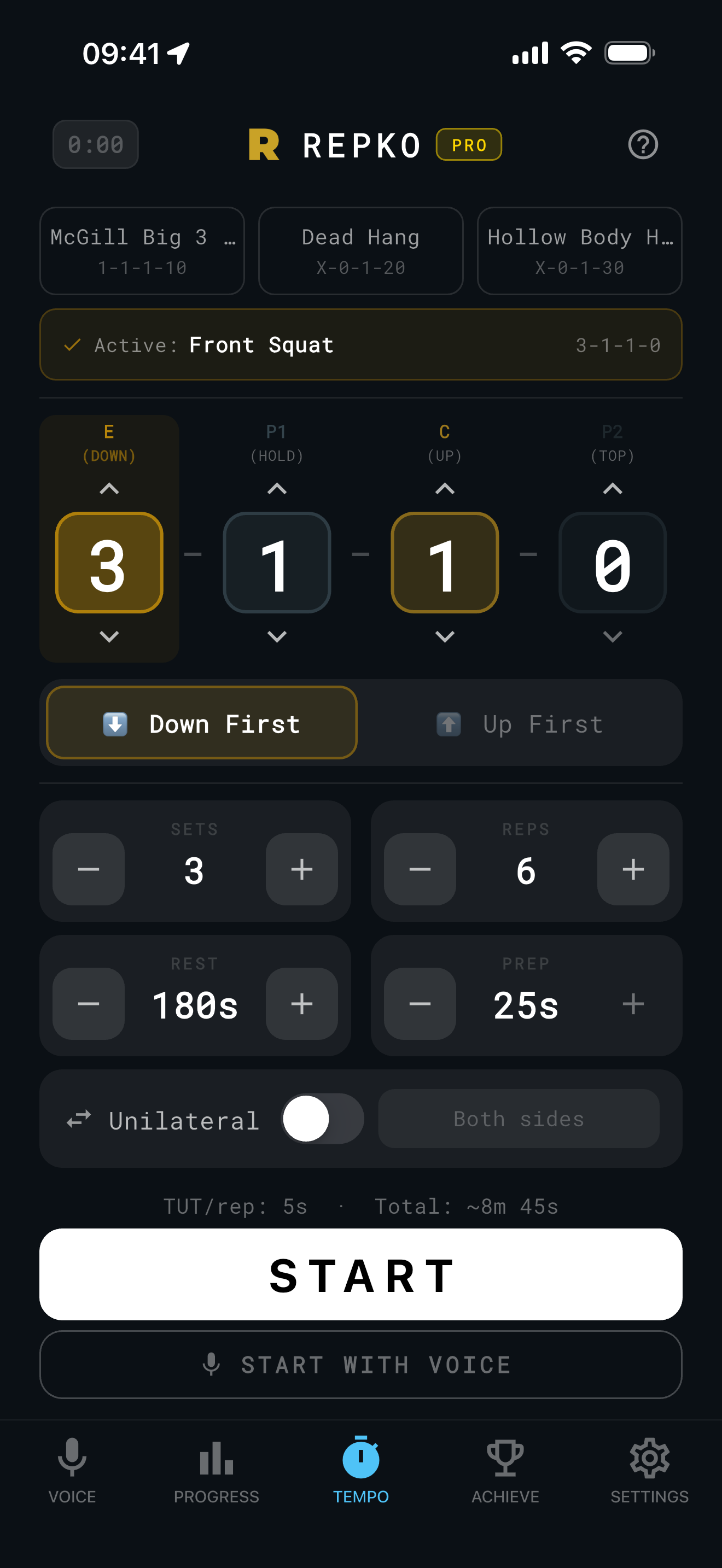
The core feature. Most timer apps count down a single duration, Repko counts every phase of every rep separately: eccentric, pause at the bottom, concentric, pause at the top. Phases are written in standard E-P1-C-P2 notation, 3-0-1-0 means a 3-second lowering, no pause, 1-second lift, no pause at top.
Each phase gets its own audio cue per second (configurable: tones, motivation beeps, countdown ticks for phases longer than 5 seconds). The screen color shifts per phase, so you know where you are without looking. If you write X for a phase, the timer treats it as explosive, no second-by-second tone, just go.
For phases that hold (planks, pause squats, dead-stop variants), the last digit can carry seconds: 1-0-1-30 for a 30-second plank, 2-2-1-0 for a 2-second pause squat. The notation extends to whatever your training method requires.
Where you'll see it:
- Setup screen, pick your tempo before you start, save it as a preset, or pull a default from the exercise library
- Timer screen, full-screen phase display with countdown, large enough to read from a rack
- Lock Screen and Dynamic Island, Live Activity shows current phase, set count, and rest countdown without unlocking your phone
For the conceptual background, why tempo notation works this way, what each digit changes about training stimulus, see the Poliquin tempo guide and tempo notation explained.
Hands-free voice control
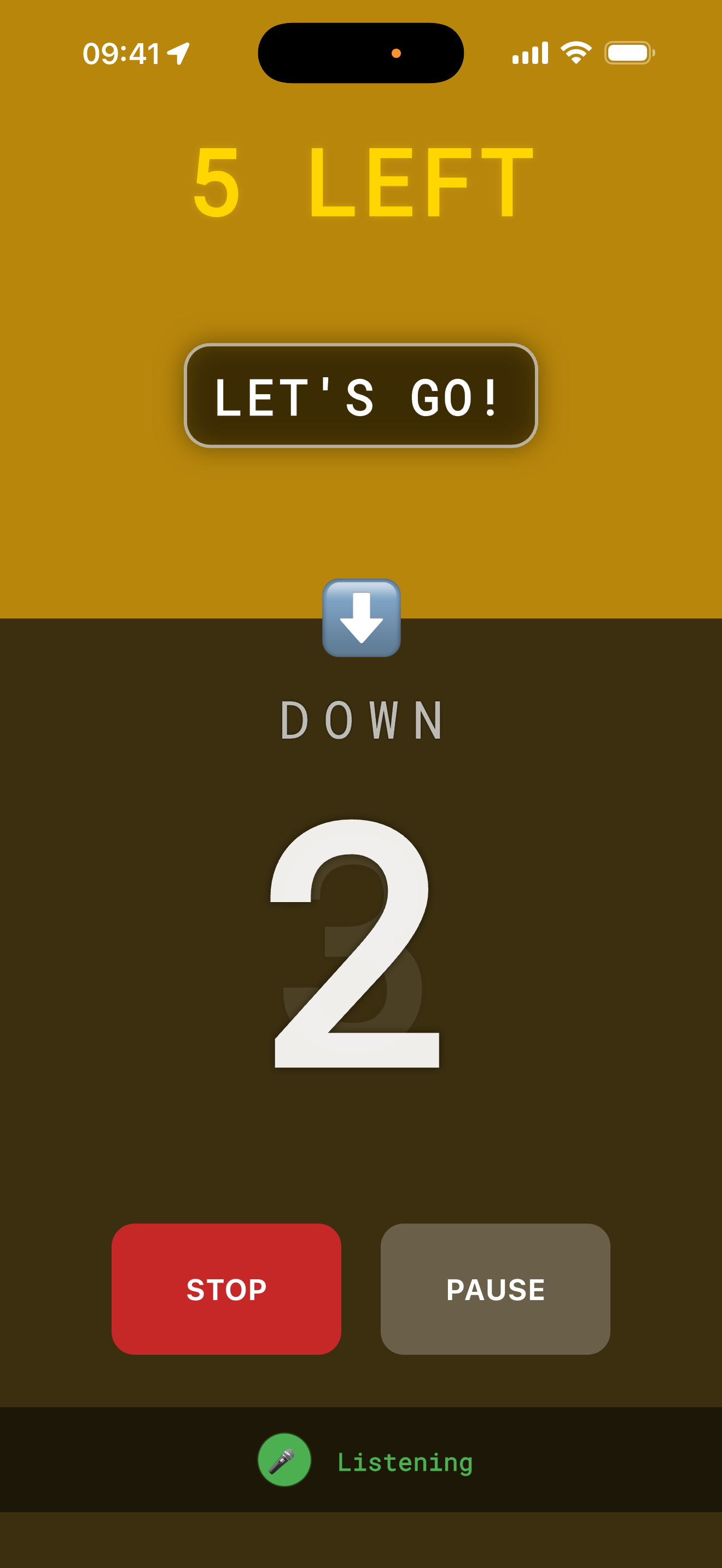
Tempo training has a problem: you're counting in your head while trying to keep form. Voice control fixes that. Repko listens for three commands, GO to start a rep, STOP to pause the set and choose (keep going, restart the set, end the set, or finish), and REPEAT to redo the last rep if you missed the cue.
Two modes:
- VCFR (Voice Control First Rep), the mic listens once at the start of each set. You say
GO, Repko runs the prescribed reps automatically. Best when you want voice to start the set but not coach every rep. - VCER (Voice Control Every Rep), the mic listens before every single rep. Each rep starts when you say
GO. Best for heavy sets where you set up between reps and don't want a fixed cadence.
On-device processing. All voice recognition runs locally on your iPhone, Apple's SFSpeechRecognizer with requiresOnDeviceRecognition=true enforced in code, not just in policy. Audio never leaves the device. No cloud transcription, no recording, no upload.
Custom trigger words (PRO). Default words are short, phonetically distinct (go, stop, repeat), picked because the gym is loud. If they don't work for you, your accent, your earbuds, your noise environment, PRO lets you replace them with words that do.
Where you'll see it:
- Setup screen, voice mode toggle (off / VCFR / VCER)
- Voice tab, live mic tester for each command, custom trigger word editor (PRO), recognition tips
- Permission flow, first use prompts iOS for mic access; if denied, the timer falls back to silent run gracefully
VCFR is free. VCER and custom trigger words are PRO.
How Repko compares to other app categories
Workout loggers (Strong, Hevy, JEFIT), dedicated tempo timers, and voice-controlled interval timers each solve one part of a tempo set: loggers record sets and the rest between them, tempo timers cue phases, voice timers run fixed intervals on command. Here is where each stops.
| Capability | Repko | Workout loggers | Dedicated tempo timers | Voice interval timers |
|---|---|---|---|---|
| Times all four phases of every rep (eccentric, pause, concentric, pause) | Yes, every rep, on the free tier. | No. They log completed sets and the rest timer between them, not the phases inside a rep. | Sometimes. Many collapse tempo to two or three phases, and time under tension is the sum of all four digits times reps, so a missing phase breaks the math. | No. They count fixed intervals, not per-rep tempo phases. |
| Hands-free voice control: start and control a set by speaking, no tap, no glance at the screen | Partly free. The free tier listens for GO and STOP before the first rep of each set. Voice on every rep, plus REPEAT, requires PRO. | No. You tap to log each set after it is done. | No. Audio or haptic cues only, no voice input. | Yes. This is the category's core function. |
| Voice cues layer over your own music instead of muting it, with speech processed entirely on the phone | Yes. Cues speak over your track without cutting, ducking, or stuttering it, and speech recognition stays 100% on-device, nothing sent to a server. | Not applicable. No voice mode. | Not applicable. No voice input. | Varies by app. |
| Program building, routines, and workout planning | No. Repko is not a workout planner. It will not tell you what to lift or generate programs; it assumes you already have a plan. | Yes. This is what Strong, Hevy, and JEFIT are built for. | No. Single-purpose timers. | No. Single-purpose timers. |
| Long-term training history | No, not for free. The free tier keeps your 10 most recent sessions; unlimited history and CSV export are PRO. | Yes. Long-term history is the reason the category exists. | Varies by app. | Varies by app. |
If you want an app to build your program, keep your full training history, or get you started lifting, a logger does that and Repko does not. Repko is for the set itself: four phases per rep, timed and voice-controlled, hands-free, on-device.
Exercise library, 1,083 lifts, biomechanical metadata
Repko ships with a catalog of 1,083 exercises across 20 muscle groups, barbell, dumbbell, cable, bodyweight, machine, mobility. Each entry carries the metadata that actually matters for tempo execution:
- Default tempo based on the lift (squat-pattern lifts default to
3-0-1-0, cable rows to2-0-1-1, holds carry their hold duration in the last digit) - Direction, first physical movement from the start position (down for a squat, up for a deadlift, up for an overhead press)
- Unilateral flag, whether the lift is performed one side at a time
- Bodyweight metadata, for calisthenics work, the percentage of bodyweight engaged, used in volume calculations when you log reps
Search and select. The exercise picker uses tokenized fuzzy matching, type row db and you find DB Single-Arm Row. Tap a catalog entry, the setup screen pre-fills tempo, direction, and unilateral state. Edit anything before you start.
Edge cases. Some lifts don't fit a single direction or eccentric-first pattern, Lat Pulldown is the classic case. The deeper why is on tempo notation explained, the section on Repko's edge case handling covers how the app encodes these.
Skill tree, 74 unlockable nodes
Repko has a 74-node skill tree split across 7 branches: Onboarding, Tempo Mastery, TUT Forge, RIR Science, Voice Command, Unilateral Commitment, Consistency Engine, plus a Convergence section that requires progress in multiple branches.
Nodes have five tiers, Raw Iron, Forged Steel, Tempered Gold, Titan, Legendary. Some are visible from day one with explicit unlock conditions. Others are previewed (icon visible, conditions hidden). A few are fully hidden until you trigger them, the system rewards exploration without telegraphing every milestone.
Examples:
- Tempo Initiate (Raw Iron), log your first session with any tempo other than
0-0-0-0 - Eccentric Devotee (Forged Steel), twenty sessions with a slow eccentric phase. This is a choice, not an accident
- Full Integration (Tempered Gold, hidden), one calendar week with three or more sessions, all voice-controlled
- The Calibrator (serendipity, hidden), twenty-five consecutive exercises with a complete RIR log
The whole tree is free. No PRO gate on progression. Achievement nodes can be shared as image cards from the reveal screen.
Free vs PRO
The core 4-phase timer is free. Always. PRO unlocks depth, voice on every rep, charts, unlimited history, exports. Below: the honest split.
| Feature | Free | PRO |
|---|---|---|
| 4-phase tempo timer (every phase, every rep) | ✓ | ✓ |
| 8 built-in presets | ✓ | ✓ |
| Custom presets | up to 3 | unlimited |
| Voice control, first rep (VCFR) | ✓ | ✓ |
| Voice control, every rep (VCER) | ✕ | ✓ |
| Spoken phase names (Voice cues) | ✕ | ✓ |
| Spoken rep countdown | ✕ | ✓ |
| Custom voice trigger words | ✕ | ✓ |
| Exercise library (1,083 lifts) | ✓ | ✓ |
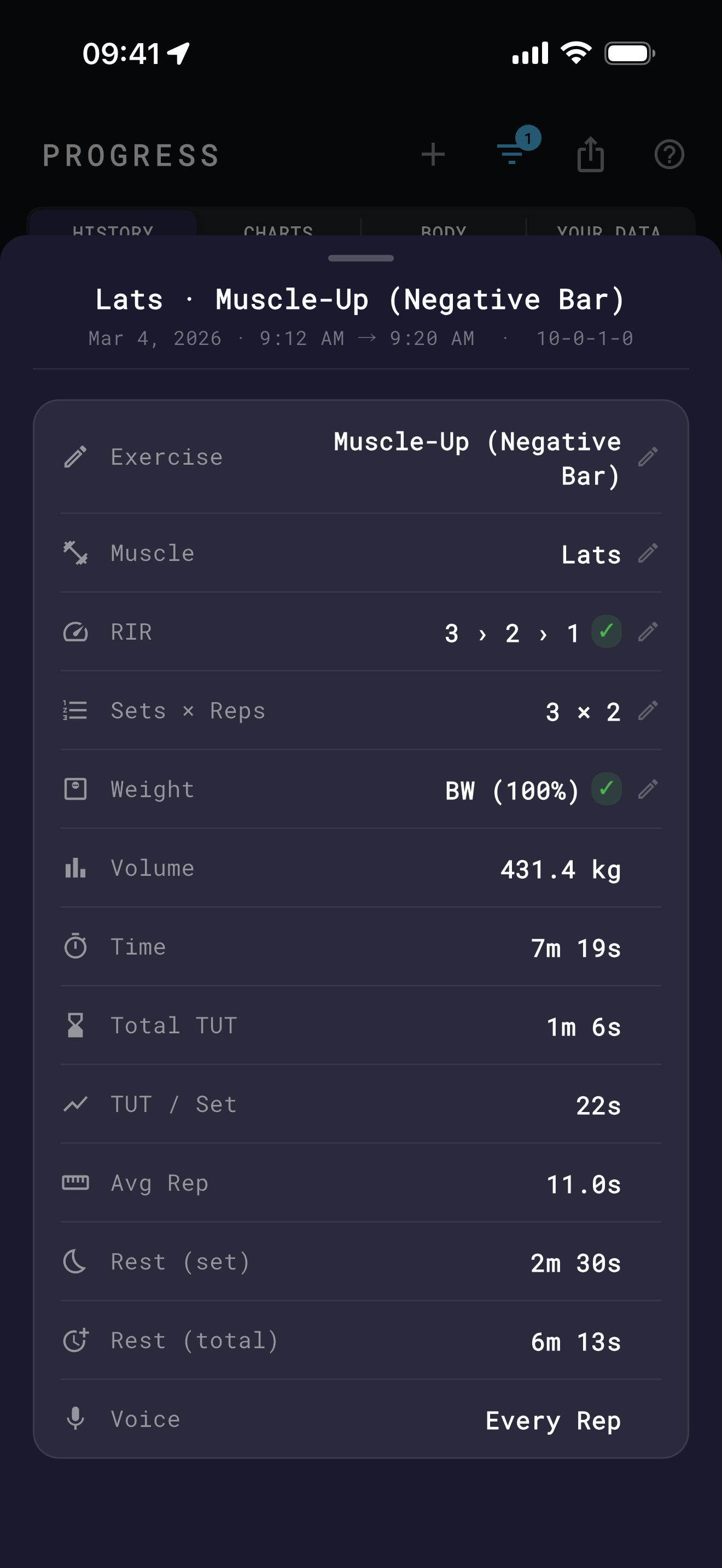
| Workout history | last 10 exercises | unlimited |
| Charts (TUT, sets, volume, PRs) | ✕ | ✓ |
| Lifetime stats (Your Data tab) | ✕ | ✓ |
| 74-node skill tree | full access | full access |
| Lock Screen and Dynamic Island Live Activity | ✓ | ✓ |
| Body weight tracking | ✓ | ✓ |
| RIR per set | ✓ | ✓ |
| Weight per set | ✓ | ✓ |
| CSV export | ✕ | ✓ |
| Muscle group filter (history) | ✕ | ✓ |
| Manual session entry | ✕ | ✓ |
| 8 timer themes (PRO Gold included) | base | full set |
| iCloud backup | ✓ | ✓ |
| Ads | none | none |
| Account required | no | no |
PRO is $3.99/month or $24.99/year (works out to about $2.08/month, billed annually, a 48% saving). There are two ways to try PRO without paying: a 7-day in-app preview that starts automatically (no card needed) and Apple's 7-day free trial via StoreKit (card required, starts when you tap Subscribe). Use either or both. After the previews end, you stay on Free unless you subscribe, your data stays, PRO features lock back, your Free history limit returns to the most recent 10 exercises. Free → PRO → Free, never reverse: nothing the app gave you on Free gets removed if you trial PRO and don't keep it.
All prices in USD. Local prices may vary. Subscriptions managed in your Apple ID.
Frequently asked questions
What is the difference between VCFR and VCER voice modes?
VCFR, Voice Control First Rep, listens once at the start of a set: say GO and Repko runs the prescribed reps automatically. It is free. VCER, Voice Control Every Rep, is part of PRO. The microphone listens before every single rep, so each rep begins only when you say GO, which suits heavy sets where setup time varies. VCER also unlocks the REPEAT command.
Does Repko's voice control need an internet connection?
No. Repko uses Apple's SFSpeechRecognizer with requiresOnDeviceRecognition set to true, enforced in code rather than described in a policy. Commands are matched on the iPhone itself with no network calls, so GO, STOP, and REPEAT keep working with no Wi-Fi and no cell signal. Audio never leaves the device: no cloud transcription, no recording, no upload.
Can I change the words Repko listens for?
Yes, on PRO. The free tier uses fixed commands, GO and STOP, chosen to be short and phonetically distinct because gyms are loud. PRO lets you swap them for words that fit your accent, your earbuds, or your noise environment, and adds a third command, REPEAT, which redoes the last rep if you missed the cue.
Does Repko work with Apple Watch?
Yes. Repko includes an Apple Watch companion that delivers tempo taps on your wrist, so you can feel each phase change without looking at your iPhone. It is included on every tier, free as well as PRO, not gated behind a subscription. The iPad version gets a full-screen layout, also on every tier.
How many exercises does Repko include, and what does each one carry?
1,083 exercises across 20 muscle groups: barbell, dumbbell, cable, bodyweight, machine, and mobility work. Each entry carries a default tempo suited to the lift, its first movement direction, a unilateral flag, and, for calisthenics, a bodyweight percentage used in volume math. Tap an exercise and the setup screen pre-fills those values. You can edit any of them before you start.
Built by a lifter who needed it
I built Repko because no other timer counted four phases and let me run a set hands-free. If that's the gap you've been working around, read more about why or follow development on Featurebase. I'm one person, I read every email at [email protected].
Repko is live on the App Store. Read more about the app or follow development on Featurebase.